
PSOU Centre Login: Learner Support Portal and Student Services
In this article
- PSOU Centre Login Portal – Credentials and Direct Web Link
- PSOU Login via OTP – Alternative One-Time Password Access
- PSOU LMS Portal – Study Material and Learning Resources
- PSOU ABC ID Creation – DigiLocker Registration and Download Steps
- PSOU Enrolment Number Format – Student ID Structure and DEB ID Status
- PSOU Re-evaluation and Examination Forms – Portal Fees and Schedule
- PSOU Admin Portal Access – Staff Roles and Portal Options
- PSOU Student Portal Technical Support – Helpline Contacts and Email Details
- PSOU Centre Login official links and PDFs
- What students ask about PSOU Centre Login
Jagat Guru Nanak Dev Punjab State Open University, also known as JGND PSOU Patiala, operates centralized online web portals for learner support, admissions, academic records, and examinations across Punjab. Established by Punjab Act No. 19 of 2019, the university provides distance and open learning access through its official portal student login dashboard. Learners in Certificate, Diploma, and Degree programmes use their assigned student credentials, enrolment numbers, and DigiLocker Academic Bank of Credits IDs to manage study materials, submit examination forms, and request re-evaluation.
PSOU Centre Login Portal – Credentials and Direct Web Link
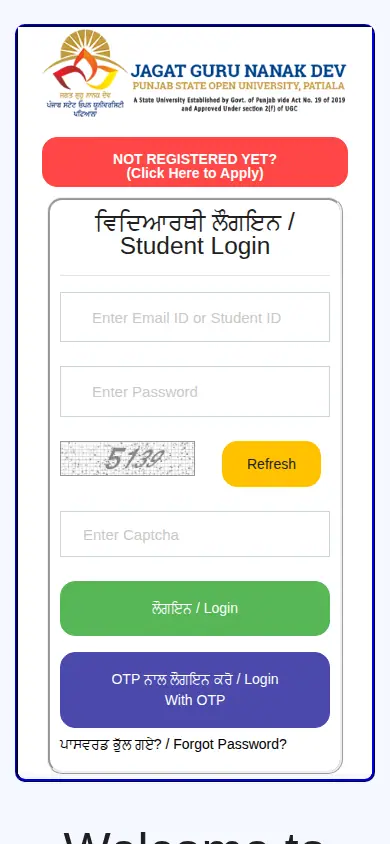
Jagat Guru Nanak Dev Punjab State Open University manages online academic services for learners through its centralized PSOU Student Login portal. Distance learners log in using their assigned Student ID or registered email address paired with their account password.
The login dashboard provides unified access to admission details, examination portals, admit card downloads, and university guidelines. Students sign in directly on the official portal interface to view their profile records and course schedules.
- Navigate to the official PSOU Student Login web link.
- Enter your registered Email ID or Student ID in the designated text field.
- Type your account password in the Password field.
- Enter the security Captcha code shown on the screen.
- Click the Login button to open the Online Student Dashboard.
The essentials
- Student Portal Web Link
- https://student.psou.ac.in/Login
- Primary Login Credentials
- Registered Email / Student ID & Password
- Alternative Login Mode
- Login With OTP
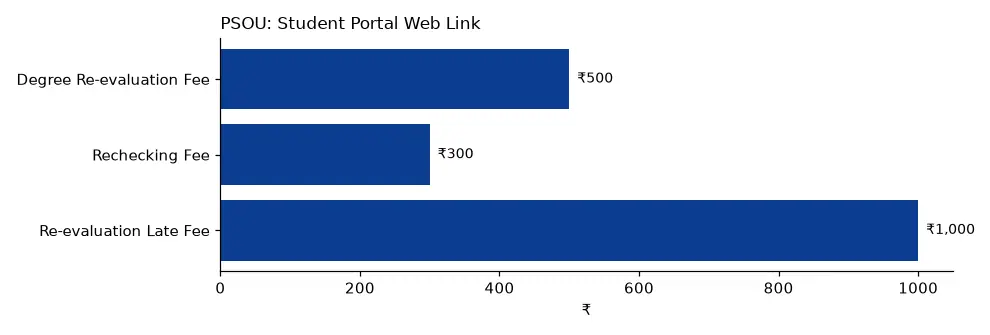
- Degree Re-evaluation Fee
- Rs 500 per course
- Rechecking Fee
- Rs 300 per course
- Re-evaluation Late Fee
- Rs 1000 per course
- Exam Helpline Number
- 95307-41524 / 0175-5082367
- Admission Helpline Number
- 9463082523
PSOU Login via OTP – Alternative One-Time Password Access
PSOU provides a secondary access mechanism for registered students who need quick portal entry without typing their account password. The PSOU OTP Login service sends an authentication code to the student’s registered contact credentials.
Learners select the dedicated OTP link on the student dashboard interface to initiate authentication. This alternative ensures continuous portal access when standard passwords are forgotten or temporarily unavailable.
- Generated One-Time Password sent by the portal
- On-screen Captcha verification code
PSOU LMS Portal – Study Material and Learning Resources
PSOU provides electronic Self-Learning Materials (SLM) and academic resources through the dedicated PSOU LMS portal interface. Learners access digital study resources to prepare for Certificate, Diploma, and Degree examinations.
The university publishes official user guides to assist learners in navigating digital resources. Students refer to the PSOU LMS Study Material User Manual and LMS User Manual PDF for instructions on accessing course modules.
- Self-Learning Materials (SLM) in electronic media format
- Downloadable PDF study content organized by course modules
- User manuals for navigating learning management tools
- Feedback submission forms for Learner Support Centre facilities
More from PSOU
PSOU ABC ID Creation – DigiLocker Registration and Download Steps
PSOU distance learners must create and link an Academic Bank of Credits (ABC ID) to maintain their academic credit records. Students register through the official National ABC Portal using verified DigiLocker account credentials.
The Controller of Examinations serves as the Nodal Officer for National Academic Depository (NAD) and ABC implementation at JGND PSOU Patiala. Learners download their finalized ABC ID card directly from DigiLocker after generating their account.
- Visit the national ABC Portal login page or access DigiLocker directly.
- Sign in using your existing DigiLocker credentials, or register a new DigiLocker account.
- Generate your ABC ID upon your initial login to the ABC portal.
- Open DigiLocker, navigate to Search Documents, and locate the Education section.
- Select Academic Bank of Credits, click ABC ID Card, and select Get Document.
- Download and save the ABC ID Card from your DigiLocker Issued Documents section.
PSOU Enrolment Number Format – Student ID Structure and DEB ID Status
PSOU assigns a unique student enrolment number to every learner upon confirmation of admission into distance education programmes. An example enrolment number format recorded in official Learner Support Centre documentation is PSOU-STUD-23-0103.
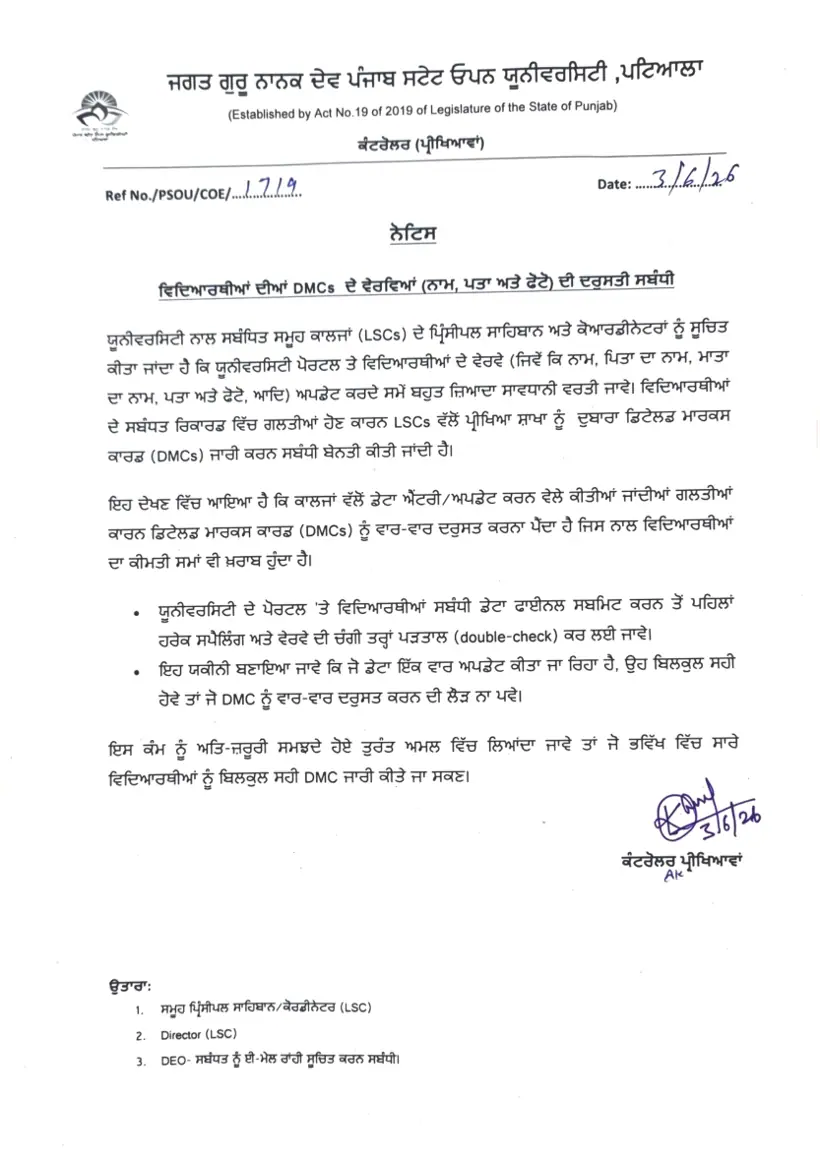
The university integrates student enrolment details with national higher education systems under UGC Open and Distance Learning regulations. PSOU has not published specific DEB ID creation guidelines on its site as of 25 November 2026.
PSOU Learner Identification and Credential Details
| Credential Type | Identifier Format / Portal | Primary Usage |
|---|---|---|
| Student Enrolment Number | PSOU-STUD-YY-XXXX (e.g., PSOU-STUD-23-0103) | University records, examination forms, feedback |
| Student Login ID | Registered Email ID or Roll Number | Student Dashboard portal access |
| Academic Bank of Credits ID | 12-digit ABC ID via DigiLocker | National credit transfer and NAD repository |
| UGC DEB Portal Link | https://deb.ugc.ac.in/StudentDEBId | Distance Education Bureau student registration |

PSOU Re-evaluation and Examination Forms – Portal Fees and Schedule
PSOU enables learners to submit online re-evaluation and rechecking applications through the PSOU Student Login portal. Candidates log in using their registered email or roll number to submit course requests after theory result declarations.
For the July/August 2026 examinations, the normal application window ran from 12 November 2026 to 18 November 2026, followed by a late fee window from 19 November 2026 to 23 November 2026. Fees are strictly non-refundable.
PSOU Re-evaluation and Rechecking Fee Structure (2025-2026 Sessions)
| Service Type | Applicable Programmes | Normal Fee (per course) | Late Fee (per course) |
|---|---|---|---|
| Theory Re-evaluation | Degree Programmes only | Rs 500 | Rs 1000 |
| Theory Rechecking | Degree, Diploma & Certificate | Rs 300 | Rs 1000 |
PSOU Admin Portal Access – Staff Roles and Portal Options
PSOU operates a dedicated PSOU Admin Login portal for administrative staff, faculty members, and LSC approval officers. Authorized users select their designated administrative role from a structured drop-down menu to log in.
The admin dashboard handles admission verification, examination conduct, secrecy, result processing, and DMC generation. University officials sign in with their authorized staff email address and password.
- Admission (Admin) and Admission (Office)
- Admission Verification Committee & Verification (School/Department)
- Director LSC Office (Affiliation Approval)
- Accounts Branch (Office) & Faculty
- CITS Admin & Examination (Conduct, Secrecy, Result, DMC-Generator)
PSOU Student Portal Technical Support – Helpline Contacts and Email Details
PSOU provides administrative and technical support lines to assist distance learners with portal login errors and academic queries. Students contact the helpline numbers or email the examination branch for account resolution.
Official inquiries regarding examination results or portal discrepancies must be routed through the student’s assigned Learner Support Centre Coordinator. Direct student emails regarding result discrepancies are not processed by the examination branch.
PSOU Official Contact and Support Directory
| Support Office | Helpline Phone / Mobile | Official Email Address |
|---|---|---|
| Examination Helpline | 0175-5082367 / 95307-41524 | coepsou@psou.ac.in |
| Admission Helpline | 9463082523 | N/A |
| Director LSC Office | 7888644617 / 94634-46505 | director.lsc@psou.ac.in |
| NAD / ABC Nodal Officer | 95307-41524 | coepsou@psou.ac.in |
What students ask about PSOU Centre Login
How do I log in to the PSOU student portal?
Open the official PSOU Student Login page at https://student.psou.ac.in/Login. Enter your registered Email ID or Student ID, enter your account password, type the security captcha code, and click the Login button to access your student dashboard.
What is the search phrase psou student login used for?
Learners search psou student login to access the centralized university dashboard at student.psou.ac.in/Login. The portal allows registered students to view profiles, download admit cards, access study materials, and apply for examination re-evaluation.
How can students access the portal using psou login with OTP?
Students select the ‘Login With OTP’ option on the student login screen at student.psou.ac.in/LoginOTP. Enter your registered email ID or mobile number to receive a one-time password for credential verification.
What features are accessible through jgnd psou login?
Logging into JGND PSOU gives distance learners access to the online student dashboard, examination portals, admit card downloads, re-evaluation form submission, and self-learning material user guides.
How do learners sign in to psou lms for study material?
Learners visit the LMS login portal at student.psou.ac.in/Login/ or follow the User Manual for Study Material link on the main student dashboard. Electronic Self-Learning Materials (SLM) are downloadable after user authentication.
What is the fee for degree re-evaluation at PSOU?
The re-evaluation fee for Degree programmes is Rs 500 per course during the normal schedule. If submitted during the late fee window, the total fee is Rs 1000 per course. Certificate and Diploma students are eligible for rechecking only at Rs 300 per course.
How do PSOU students generate their Academic Bank of Credits ID?
Students visit https://www.abc.gov.in/ or DigiLocker at https://www.digilocker.gov.in/. Sign in with your DigiLocker credentials, generate your ABC ID, search for Academic Bank of Credits under the Education section, and download your ABC ID card.
Who is the Nodal Officer for NAD and ABC at PSOU Patiala?
Dr. Kanwalvir Singh Dhindsa, Controller of Examinations at Jagat Guru Nanak Dev Punjab State Open University, serves as the Nodal Officer for NAD and ABC operations. Inquiries can be emailed to coepsou@psou.ac.in.
What is the contact helpline for PSOU examination portal issues?
Learners experiencing examination or portal issues can contact the PSOU Examination Branch helpline at 0175-5082367 or mobile 95307-41524. Email queries can be sent to coepsou@psou.ac.in.
PSOU Centre Login official links and PDFs
- Access PSOU main student login portal dashboardstudent.psou.ac.in ↗
- Access PSOU LMS portal for online study materialsstudent.psou.ac.in ↗
- View PSOU NAD and ABC ID instructionspsou.ac.in ↗
- Access PSOU administrative and school login portaladmin.psou.ac.in ↗
- Visit national ABC portal for DigiLocker loginabc.gov.in ↗
- Log in to PSOU portal using OTP authenticationstudent.psou.ac.in ↗
- View PSOU official university contact directorypsou.ac.in ↗
- User Manual for Study Material PDF — User Manual PDF for accessing study material on PSOU LMS portal
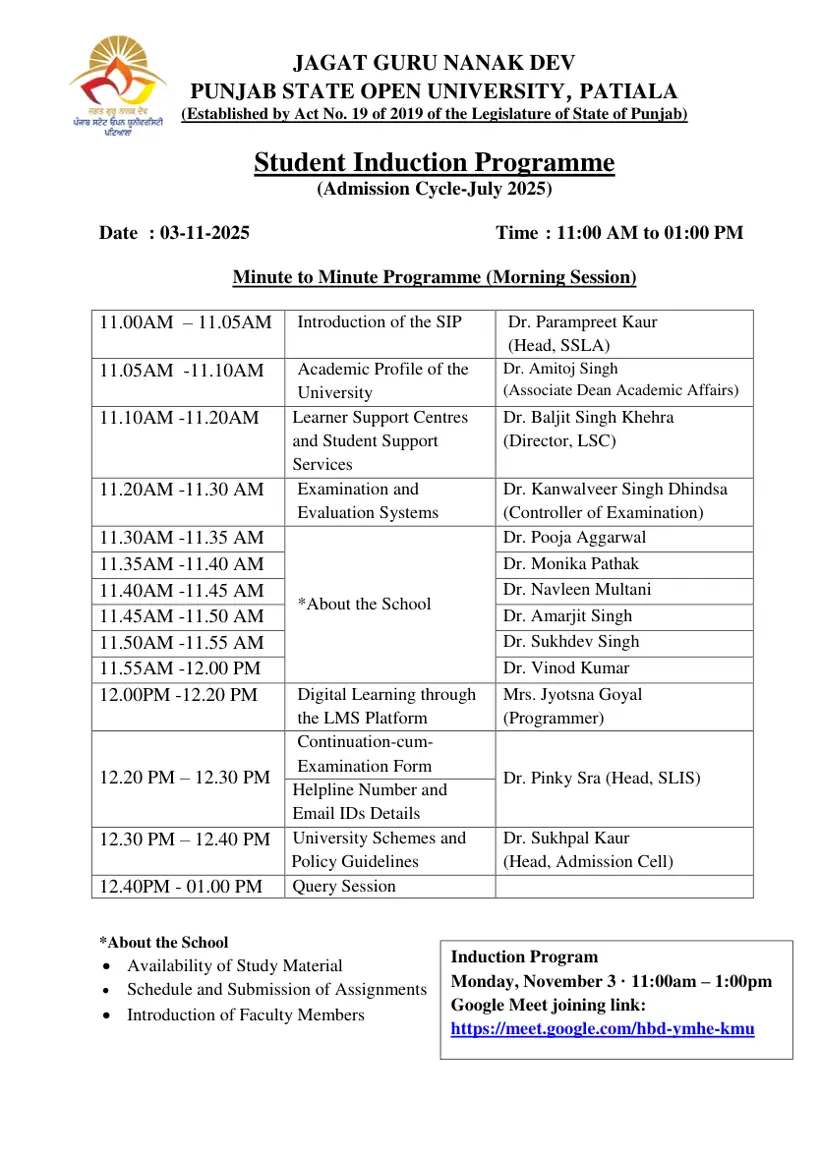
- PSOU Re-evaluation Rechecking Form Notice July August 2026 Examinations PDF — Official notice for July/August 2026 re-evaluation and rechecking forms
- PSOU Examination Reevaluation and Rechecking Form Notice May 2026 PDF — Official notice for May 2026 examination re-evaluation and fees
- PSOU Regular Student Examination Results List 3 June 2026 PDF — List 3 examination results notice for December 2025/January 2026 session
In this section
- PSOU Scholarship and Fee Concession Schemes for July 2026 Session
- PSOU Name Correction Form: LSC Verification and DMC Update Process